top of page
The Creator CLASSROOM


What’s a Good Lighting Setup for Streamers? The Perfect Recipe For Dope Looking Streams
A good lighting setup for streaming starts with one simple goal: people should be able to see you clearly. You do not need a television studio in your bedroom. You do not need six RGB lights blasting every surface in sight. And you definitely do not need to turn your streaming space into a miniature Christmas village. For most streamers, a good setup starts with a key light aimed at your face. From there, you can add a fill light to soften shadows, a backlight to separate you

Teacher Nine
Oct 95 min read


How to Use Twitch Streamer Shouts
Twitch Streamer Shouts give creators a new way to reconnect with viewers after a stream. Learn how the feature works, which viewer groups you can reach, how to send a Shout, attach clips, and write messages that fit the occasion.
Teacher Nine
Oct 18 min read


How to Use Twitch Shared Chat
Twitch Shared Chat lets multiple streamers combine their communities into one conversation during a collab. Here’s how to enable it, use it with friends, manage moderation, and understand how bans and Shared Viewership work.
Teacher Nine
Sep 275 min read


How to Delete a Twitch Clip After You Post It
Got a Twitch clip you want gone? Here’s how to delete a single clip, remove multiple clips at once, and clean up clips from your channel.
Teacher Nine
Sep 133 min read


How to Change Your Twitch Stream Title and Category
Forgot to change your Twitch title before going live? Here’s how to update your stream title and category from Twitch, OBS, mobile, or with a chat command.
Teacher Nine
Sep 93 min read


Is Twitch Using Your Streams To Train AI? How To Opt Out
Twitch has confirmed that channel content can be used to train generative AI models developed by Amazon, which owns Twitch. The content involved can include material creators publish through their channels, including streams and videos.
This isn't the same thing as Twitch simply using AI features.
Twitch already uses machine-learning and AI-powered systems for things like recommendations, discovery, moderation and other platform features. What's causing the current cont
Teacher Nine
Aug 217 min read


Hit Twitch’s 2,000 Following Limit? Here’s How to See Who You Follow and Unfollow Them
And if you've reached Twitch's 2,000-channel following limit, cleaning up that list becomes especially important if you want to follow new creators. You may not necessarily want to unfollow people just because they're offline, either—you may simply want to see a complete list of the channels you've followed so you can decide for yourself who stays and who goes.
Fortunately, you don't have to visit every channel individually to figure out who you're following. Twitch has a
Teacher Nine
Aug 74 min read

How to Make a Twitch Clip on Desktop or Mobile
A Twitch stream might last three, four, or even eight hours, but most people aren't going to sit through an entire VOD looking for your funniest moments, clutch plays, meaningful conversations, or the moments that make your community special. That's where Twitch clips come in.
A great clip captures the highlight of your stream in less than a minute. It's easy to share, easy to watch, and it can become someone's first introduction to your channel.
Teacher Nine
Aug 25 min read


Twitch Stream Together: How to Collaborate on Twitch, Grow Your Community, and Reach More Viewers
Thinking about collaborating with other streamers? Learn how Twitch Stream Together works, how to set up collaborations, use Shared Chat, and grow your community with one of Twitch's most powerful networking features.
Teacher Nine
Jul 196 min read


Twitch Watch Streaks Explained: How They Work, How to Recover One, and Why They Matter for Your Community
Twitch Watch Streaks reward viewers for consistently supporting their favorite creators. Learn how the feature works, how to recover a missed streak, and why it's becoming one of Twitch's best community-building tools.
Teacher Nine
Jul 116 min read


How to Set Up Twitch Vertical/Horizontal Dual Format Streaming in OBS (Step-by-Step Guide)
Twitch streaming has evolved far beyond a single horizontal layout. Viewers are now split between traditional desktop watching and mobile-first discovery, which means creators need setups that work in both directions at the same time.
That’s where dual format streaming comes in.
With the right OBS setup, you can broadcast a horizontal stream for traditional viewers while simultaneously pushing a vertical canvas for mobile audiences. This allows you to stay discoverable
Teacher Nine
Jun 285 min read


Twitch Introduces Dual Format Streaming: Here's What It Means for Creators
If you've recently noticed new options like "Set Up Vertical" or "Enhanced Broadcasting" in your Creator Dashboard, you're not alone. In this guide, I'll explain what Twitch Dual Format Streaming is, why Twitch introduced it, who can use it, and whether it's worth enabling for your own channel.
Teacher Nine
Jun 283 min read


Why Your Stream Chat Is Dead (And What To Do About It) : 5 Ways To Get To Boost Twitch Engagement & Retain Viewers
Viewer engagement doesn't happen by accident. Lurkers are everywhere in live streaming — people who show up, watch in silence, and disappear without ever saying a word. And most of the time, that's not because they didn't want to participate. It's because nothing in the viewer experience told them they were welcome to.
Viewers are walking into the middle of a conversation that's already in progress. They don't know you. They don't know your community. They don't know the i
Teacher Nine
Jun 84 min read


Why Your Stream So Delayed - And How to Fix It!
As someone who spends a lot of time on Twitch, I've seen this play out more times than I can count. You're in a busy chat, topics are flying, the conversation is moving fast — and then the streamer responds to something you said two minutes ago, completely out of context.
Or worse, they misread the whole vibe of what you were saying because the moment has already passed. What felt relevant thirty seconds ago now lands like a non-sequitur, and suddenly there's a wall of co
Teacher Nine
May 316 min read


Capture Card Not Detected In OBS? 11 Fixes That Actually Work!
You plug in your capture card, launch OBS Studio, add a Video Capture Device source...
...and nothing happens.
No signal. No image. Your card is not being detected by OBS.
Whether you're trying to capture a gaming console, DSLR camera, second PC, or another video source, a capture card that refuses to appear in OBS can quickly turn a streaming session into a troubleshooting marathon.
Teacher Nine
May 306 min read


How to Create Custom StreamElements Alerts and Install Them in OBS
Once I know what kind of vibe I want, I head into Canva and start building the alerts themselves.
This is one of the reasons Canva is so good for creators. Even the free version gives you a huge amount of elements you can work with if you get a little creative. You can combine animated graphics, text, particles, lighting effects, GIFs, and layered visuals to create something that looks way more advanced than people expect.
Teacher Nine
May 297 min read


Why Most Streamers Never Break Out of Small Numbers: Understanding The Hidden Barriers to Streaming Growth
Many creators try to imitate massive streamers exactly.
But giant creators can get away with things smaller creators cannot.
A streamer with 50,000 viewers can sit silently for 10 minutes because the audience already feels attached to them.
A creator with 2 viewers cannot rely on existing emotional investment.
Small creators need amplification:
stronger energy
clearer personality
sharper branding
more interaction
faster pacing
stronger hooks
Not fake energy.
Teacher Nine
May 245 min read

How to Play Random Clips on Twitch With Twitch Guru
If your stream ever goes quiet for even 30 seconds, you’re already losing momentum.
Not because silence is bad, but because modern viewers are trained to expect constant motion. Something happening. Something reacting. Something alive.
That’s where Twitch Guru’s Random Clip Player quietly becomes one of the most underrated tools in your entire streaming setup.
It turns your “dead air” moments into a looping highlight machine that keeps your stream visually active even
Teacher Nine
May 246 min read
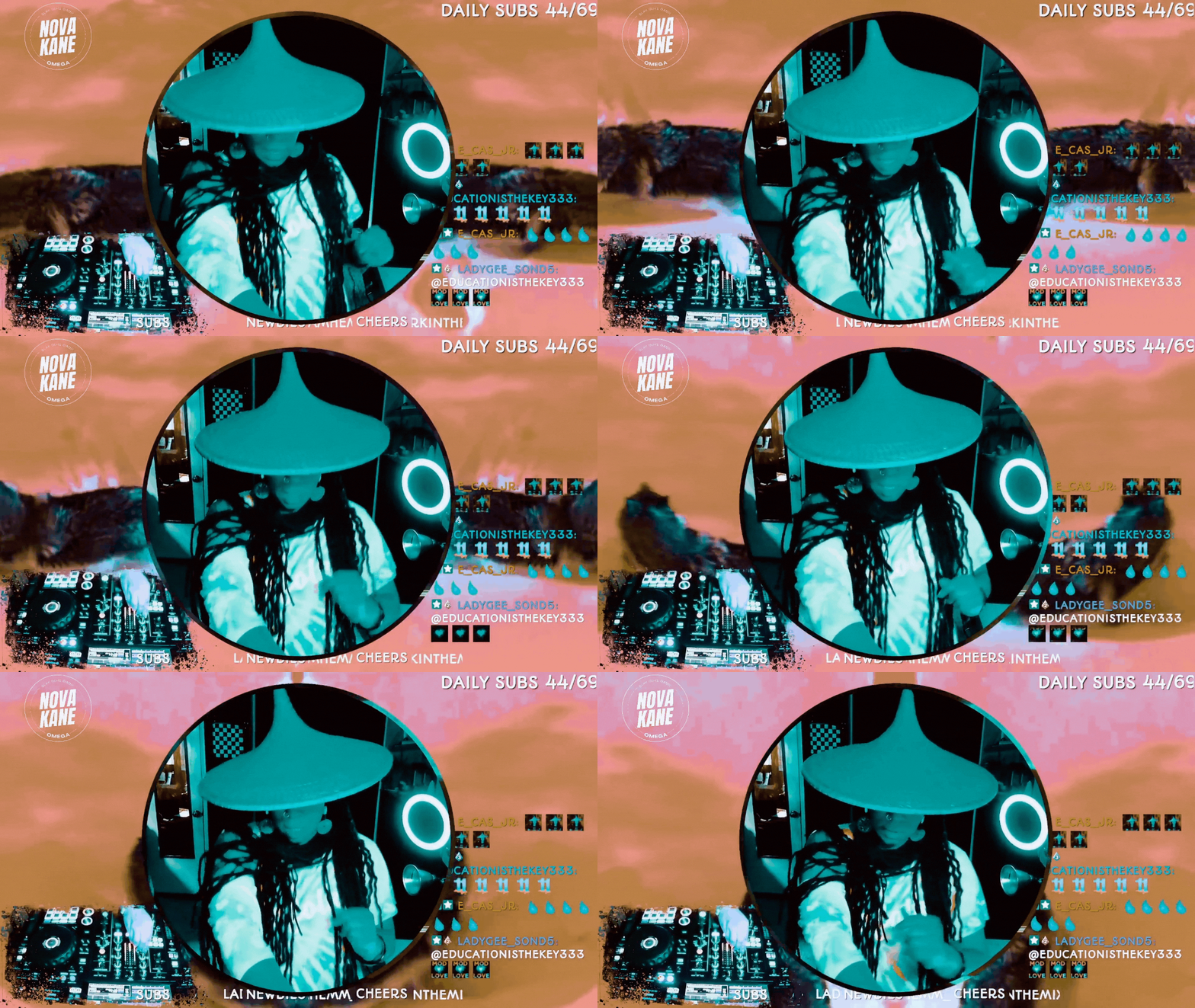
How to Do Image Masking in OBS (Step-by-Step)
If you’ve ever seen a streamer with a perfectly rounded webcam, clean overlays, or graphics that snap neatly into custom shapes, you’ve already seen image masking in action.
And here’s the gag: it’s not complicated.
You don’t need Photoshop. You don’t need plugins.You don’t need to be “good at tech.”
You just need one PNG file and a minute inside OBS.
Teacher Nine
Jan 144 min read


Twitch Guru: Enhance Your Stream with Automatic Video Shoutouts
Adding automatic video shoutouts with Twitch Guru’s tools can significantly boost your stream’s interactivity and entertainment value. By following the steps to set up the Shoutout Player and Video & Sound Overlay Maker, you create a seamless way to highlight other streamers or your viewers with engaging clips.
Teacher Nine
Dec 13, 20255 min read
bottom of page